Alright, so if you've read my previous 2 posts, you should have a good understanding of how torrents work and how you could setup your own torrent. Now i'll explain how to use HFS (explained in part 2) to turn your torrents into items in an RSS feed.
The concept is fairly simple when compared to the bittorrent protocol itself. Essentially an RSS feed needs to have a link to the torrent file in the title, description, or enclosure of the item. HFS allows us to do this with a little tweak. I found this tweak on http://www.rarst.net/software/hfs-rss/ (original text below) and i got it working in less than 2 minutes. I currently use this to send home videos to all my family members. They all have utorrent running and subscribed to my feed. All i do is create the torrent and dump it into my HFS folder. They get the torrent from the rss feed and all start downloading it at the same time.
----------Original Article----------
I had previously covered HFS which is excellent software for setting up HTTP file-sharing server. Unfortunately it does not natively provide RSS feeds that would be perfect for notifications about new files available for download.
After some poking and bugging fellow HFS users and developer himself last year I had put together usable workaround.
File list
HFS has native support for file lists. It outputs nice pack of URLs that is easy to feed to download managers instead of clicking each file.
Add some XML markup to that list and we have ourselves RSS feed.
File list template
Create text file named filelist.tpl in same directory as HFS executable and paste following code in it:
<?xml version="1.0" ?>
<rss version="2.0">
<channel>
<title>%host%%folder% directory feed</title>
<description>Files in %host%%folder% directory</description>
<link>http://%host%</link>
%files%
</channel>
</rss>
[files]
%list%
[file]
<item>
<title><![CDATA[%item-name%]]></title>
<description><![CDATA[%item-name% (%item-size%)]]></description>
<guid><![CDATA[http://%host%%folder%%item-url%]]></guid>
</item>
Browser discovery
File list is replaced with RSS feed and it should be obvious as such.
Menu > Edit HTML template…
Insert following line right before </head> and press Ok.
<link rel=”alternate” type=”application/rss+xml” title=”RSS for folder” href=”http://%host%%folder%~files.lst?recursive” />
Now browsers that support feed discovery will show available RSS feed in each folder. File list link that is shown on page can also be renamed (or removed).
Limitations
Feed is served as plain text instead of XML – should not be a problem but may limit compatibility with some readers; no timestamps on RSS items because of complex time format used, currently impossible to replicate it in HFS; some characters (square brackets for example) are not properly encoded; resulting RSS includes all files instead of few recent ones, no workaround because of way sorting in HFS works.Overall
Method is far from perfect but is easy to implement and doesn’t require additional software. Definitely beats constant explaining why I had deleted something before someone had seen it.
Friday, May 27, 2011


Legal Uses of the BitTorrent Protocol: Part 2
The other day i posted a basic introduction to the bittorrent protocol. Now i want to write down somewhere how bittorrent can be used in a legal situation. As i mentioned in yesterday's blog, i have many servers that all need the same file every time there is an update, which could be as frequent as once a quarter for major updates. The status quo is to remote into every server, log into the vendor website, and download the update. This can be very time consuming, not to mention very boring.
That's where bittorrent has helped me. To continue with the analogy of the ants: each server is an anthill. The update is the sandwich. Now all i need are ants at each anthill (a bittorrent client at each server) and an ant with a radio (a bittorrent tracker). As my torrent client, i chose to use uTorrent. It's a fairly small torrent client with all the features i need. Particularly, uTorrent can listen to an RSS feed and (as long as the feed is designed correctly) automatically get the torrents in the feed. In other words, if i can create an RSS feed which contains the torrent file (the descriptor file that tells torrent clients about the sandwich) then i can have all the anthills subscribe to that feed. But i get ahead of myself.
So, each anthill (server) has an army of ants (uTorrent client). Now i need a seeder, that would be someone who has the original sandwich. So, i install utorrent on my laptop (or i could use on of the servers, it doesn't really matter). I also need a tracker. Turns out the uTorrent client has a small basic tracker built in but disabled by default. So, on the client on my laptop, i go and enable it. Now all of the pieces are there to start torrenting.
For the first few torrents, i do things manually, just to make sure I've got everything setup properly.
Now, to automate the process. I'm sure there is probably some perl code to automatically create a torrent from files in a certain directory, but for now, I'm still doing this manually. It only happens once every time there's an update. However, i can automate steps 2 and 3, by adding one piece of software to my laptop (obviously everything running on my laptop could actually be done on one of the servers, it's not crucial where it actually happens). The software to be added is HFS (HTTP file server). The reason i added this software is that it easily creates an RSS feed from the files in a directory. So, by adding HFS, all i have to do is save the *.torrent files in a particular directory, and they automatically get added to the RSS feed. There's some tweaking necessary for the RSS feed, so I'll detail how to do that. Once the RSS feed is setup, i can go to each of the torrent clients on the remote servers and add it to the feeds list. The client checks the RSS feed and downloads all torrents in it (there are obviously checks to make sure a torrent isn't downloaded twice). By adding the RSS functionality, steps 2 and 3 are taken care of automatically. All i have to do is save the *.torrent file in the HFS directory (saving the *.torrent file to a particular location is part of the torrent creation process, step 1).
So there you have it. I'll post instructions tomorrow on how to customize HFS to make the RSS feed compatible with uTorrent's RSS feature.
That's where bittorrent has helped me. To continue with the analogy of the ants: each server is an anthill. The update is the sandwich. Now all i need are ants at each anthill (a bittorrent client at each server) and an ant with a radio (a bittorrent tracker). As my torrent client, i chose to use uTorrent. It's a fairly small torrent client with all the features i need. Particularly, uTorrent can listen to an RSS feed and (as long as the feed is designed correctly) automatically get the torrents in the feed. In other words, if i can create an RSS feed which contains the torrent file (the descriptor file that tells torrent clients about the sandwich) then i can have all the anthills subscribe to that feed. But i get ahead of myself.
So, each anthill (server) has an army of ants (uTorrent client). Now i need a seeder, that would be someone who has the original sandwich. So, i install utorrent on my laptop (or i could use on of the servers, it doesn't really matter). I also need a tracker. Turns out the uTorrent client has a small basic tracker built in but disabled by default. So, on the client on my laptop, i go and enable it. Now all of the pieces are there to start torrenting.
For the first few torrents, i do things manually, just to make sure I've got everything setup properly.
- I open the uTorrent client on my laptop and start the 'new torrent' wizard. I point the wizard to the update file i want to share (this could also be a directory with thousands of files, no need for zipping). I also point the wizard to my laptop's IP address as the tracker. When i hit finish, uTorrent outputs a *.torrent file (i saved that to my desktop). If i look in my uTorrent client, I'll see that i'm now seeding the file and the fact that I'm seeding it has been reported to the tracker portion of the uTorrent client. Now all i need to do is get that torrent file over to the other clients. (Remember I'm doing this manually, this part will be much less complicated after i automate it.)
- I go to each one of the servers and copy the *.torrent file (2-3KB max) to each server.
- Then i open the *.torrent file using the uTorrent client on each server.
Now, to automate the process. I'm sure there is probably some perl code to automatically create a torrent from files in a certain directory, but for now, I'm still doing this manually. It only happens once every time there's an update. However, i can automate steps 2 and 3, by adding one piece of software to my laptop (obviously everything running on my laptop could actually be done on one of the servers, it's not crucial where it actually happens). The software to be added is HFS (HTTP file server). The reason i added this software is that it easily creates an RSS feed from the files in a directory. So, by adding HFS, all i have to do is save the *.torrent files in a particular directory, and they automatically get added to the RSS feed. There's some tweaking necessary for the RSS feed, so I'll detail how to do that. Once the RSS feed is setup, i can go to each of the torrent clients on the remote servers and add it to the feeds list. The client checks the RSS feed and downloads all torrents in it (there are obviously checks to make sure a torrent isn't downloaded twice). By adding the RSS functionality, steps 2 and 3 are taken care of automatically. All i have to do is save the *.torrent file in the HFS directory (saving the *.torrent file to a particular location is part of the torrent creation process, step 1).
So there you have it. I'll post instructions tomorrow on how to customize HFS to make the RSS feed compatible with uTorrent's RSS feature.
Legal Uses of the BitTorrent Protocol: Part 1
You may have heard of bittorrent and associated it with illegal movie and music downloading. While admittedly, the bittorrent protocol is mainly used for nefarious purposes, it occurred to me a long time ago that there had to be a legal use for it. Then it hit me, the main purpose of the bittorrent protocol is to efficiently move one file from one place to many other places. I manage a set of servers that run a third party software package that gets updated several times a year. These updates are difficult to distribute because 1) they are fairly large (100-750MB) and 2) I have to distribute the same file or group of files to all my servers. In steps bittorrent.
How does bittorrent work?
Think of bittorrent as organized ants eating your sandwich while out for a lovely picnic. Their ultimate goal is to get the sandwich to the anthill. So, they break the sandwich up into very small pieces and each ant takes one back to the anthill. The more ants, the faster the job gets done. Now, imagine there are 15 anthills that want your sandwich. (Also imagine the ants have an advanced piece of technology that duplicates small pieces of your sandwich). With all these anthills trying to get your sandwich and given their duplication technology, each anthill would have a copy of your sandwich within short order. Now imagine there's a huge ant with a radio. You let him know that you have a sandwich to share with the ants. Each anthill asks this ant where the sandwiches are and they get started.
Torrents work the same way. You have a big file (the sandwich) that you want to distribute to a bunch of destinations (anthills). You create a file called a torrent file (file extension *.torrent) and announce it to a tracker (the ant with the radio). Then you email the *.torrent file (a very small file by the way) to the various destinations (anthills) who then open the torrent with their favorite bittorrent client. The torrent file instructs the client to go to the tracker (the big ant with the radio) and get a list of the sources (or seeders) of the file, aka you. The ants descend on your file and begin to take back copies of very small chunks of your file. None of this is very novel (in fact it's quite similar to napster if you remember). The cool thing is that once an anthill begins to participate in the torrent, the tracker (the big ant with the radio) is notified who then lets all the other anthills know. From the point of view of one of the anthills, there is a big sandwich out there. There are also 14 other anthills with part (or soon all) of the sandwich. The anthills begin to trade with each other. The more anthills involved, the larger the swarm, the more quickly the file is distributed. Cool, huh?
What I wish my phone did
This post could also apply to any smart phone. It's about my bb since that's what i have now. I'm curious to see what the Windows7 phone will be capable of.
Ok, I've had a BlackBerry with my last two jobs and now I have a torch. I'm still waiting for three big features that would truly give me 'outlook in my pocket'. I understand that not everyone wants to have all the features of their pc in their pocket, but I've always wanted to be able to do everything on my phone that I can do on my desktop. I don't think I'm alone given the popularity and incredible demand in the tablet device market. But, I digress. On to the features!
Ok, I've had a BlackBerry with my last two jobs and now I have a torch. I'm still waiting for three big features that would truly give me 'outlook in my pocket'. I understand that not everyone wants to have all the features of their pc in their pocket, but I've always wanted to be able to do everything on my phone that I can do on my desktop. I don't think I'm alone given the popularity and incredible demand in the tablet device market. But, I digress. On to the features!
- I wish I could categorize items from my phone: Color coding is awesome! I categorize my emails, my task items, and my calendar items. I sometimes do this with rules, but mostly, I do it manually. It helps me segregate the items on my calendar as well as helping me know at a glance what my plans concern. I color code for different projects, types of meetings, etc. I wish I could do this from my bb and sync it back to my outlook
- I wish I could follow up on items from my phone: Have you ever noticed that you can mark an email to be followed up on from within outlook? Just right click the email in Outlook and under Follow Up, there are a bunch of options. Say you've read the email and you need to respond to it, but not until next week. Right click >> Follow Up >> Next Week. Outlook puts a flag on the email and also adds the email to your To-Do bar (Alt-F2 to show/hide). Outlook pops up a reminder next week that you need to address that email. I wish i could mark something to be followed up from within my phone. As it is, i mark the message unread (even if I've read it) so i know i need to mark it when i get back to my desk.
- I wish my phone knew when i was in meetings: Wait, it does: my calendar is synchronized with my phone! I mean, i wish my phone knew when i was in a meeting and automatically turned off the ringer. Then turned it back on after the meeting is over. How hard would it be to add a field to a calendar item with a drop down containing my profiles. Let the default profile be 'silent', but maybe it's just a training class and i want it to go to vibrate during that time. So be it.
Anyway, those are my top 3 requests for my phone. If anyone knows how to accomplish this in the existing setup, let me know. Otherwise, I'm waiting with baited breath.
Ultramon
Ever since i first setup a pc with multiple monitors i've been frustrated with how windows handles it. It's like nobody put any thought into it. That's where Ultramon steps in. Ultramon (http://www.ultramon.com/) is built to specifically handle multiple monitors. There are two main features I use: smart taskbar and window switching.
The full version is worth it, but you can try it out for free first.
- Smart Taskbar: ultramon puts an additional task bar at the bottom of each monitor. The windows in that monitor only display on the task bar of that monitor. This means that a window on your secondary monitor shows up in the task bar of the secondary monitor (not the first). This feature works fine in windows7, but diminishes some of the new task bar features in windows 7. It works wonderfully in XP.
- Window switching: this feature is particularly handy because i have a mouse with a few extra programmable buttons. This feature allows you to move the current window to the other monitor. Much easier than dragging the window from one to the other. I take this two steps further by first going into the UltraMon config and setting a keyboard shortcut that move the current window to the next monitor. Then i go into my mouse settings and set one of my buttons to map to that keystroke. This means that when i hit that button on my mouse, the keyboard shortcut gets virtually pressed and UltraMon moves the current window to the other monitor.
The full version is worth it, but you can try it out for free first.
Just in time for Halloween
If you're using IP SLA tests to measure latency across your network, you may want to keep in mind that there is a caveat to using IP SLA. Two reasons:
- QoS markings. If you are doing tests of different QoS queues all tests that are generated on that router will go out the default queue, even if marked for higher priority. So you use a shadow router that is within its trust boundary so that it will honor the QoS markings.
- Load on the Router. IPSLA can add load to the router, on both the source and target. So you can use the shadow router to act as the source or destination to reduce load on the WAN routers. It’s not going to be a big deal if there’s only a handful of tests but if you’re doing an NxN combination of tests to between each site I would recommend a shadow router at each.
A shadow router? Wait, i thought my Magic: The Gathering days were over after high school?!
Usually a shadow router isn't actually used for routing, but that will depend on your resources. If you use a spare router to do your IP SLA, then the resources taken up by the IP SLA test aren't in competition with production resources.
Shout out to Zack Belcher who reminded me of these reasons to have a shadow router.
Xobni
A few years ago, one of my buddies turned me on to Xobni (http://www.xobni.com/). It's an add on for your outlook that works so much better than the built in search. There are two flavors, free and pay. I haven't used the pay version, but i've talked to a few people who have and they like the additional features.
Like i said, i use the free version and really love it. It adds a sidebar to your outlook that lets you search through all your email. Not only that, but if you use the reading pane (everyone should use the reading pane), Xobni (inbox spelled backwards) will automatically display the search results for the currently selected email. So, for example, if i am currently reading an email from my boss, Xobni will automatically display the following information:
Like i said, i use the free version and really love it. It adds a sidebar to your outlook that lets you search through all your email. Not only that, but if you use the reading pane (everyone should use the reading pane), Xobni (inbox spelled backwards) will automatically display the search results for the currently selected email. So, for example, if i am currently reading an email from my boss, Xobni will automatically display the following information:
- Contact information - xobni will glean this information from all your past emails by looking at the signatures!)
- Usage statistics - shows how many emails you get on an average per hour from the selected person, how many emails to you from that person and vice versa. It will also show you how that person ranks (i.e. is that person your #4 most contacted person)
- Conversations - xobni pulls up all emails from that person and groups them by email thread.
- Attachments from that person
- Links in emails from that person
- Appointments with that person
- Other people in your communications network with that person
There are also plug ins to automatically display that person's linkedin, facebook, twitter profiles, skype account information, etc. Anyway, it's a useful tool and you can get it for free. It seriously speeds up the amount of time it takes me to find stuff in my email.
Easy to do business with
I finally figured out what has been missing since the NetQoS acquisition by CA. One of NetQoS' vision points was to be 'easy to do business with'. NetQoS has always manifested this vision with exceptionally easy processes. However, since CA acquired NetQoS, doing business has been difficult and aggravating.
For example: i just changed jobs from one NetQoS customer to another. It took a week and a half to get my email address updated so i could log into the portal again and get notifications from the message boards. And i went to get my new company's site IDs added to my profile and nobody knew how to find all the site IDs for my new company. After a while we did find two site IDs (why one company needs two site IDs is obviously the brain child of a non-engineer). However, the support guy wasn't sure the site IDs he gave me were all the site IDs for my new company!
Ug, please CA: ask someone from NetQoS what it meant to be 'easy to do business with' and get your act together. You are NOT easy to do business with.
Thursday, March 24, 2011
New home theater pc is on its way:
HP Pavilion s5750z PC
• SAVE $21! Genuine Windows 7 Professional 64-bit
• AMD Phenom(TM) X4 840 quad-core processor [2.9GHz, 2MB L2 + 6MB L3 shared, up to 4000MHz]
• 8GB DDR3-1333MHz SDRAM [4 DIMMs]
• 1.5TB 7200 rpm SATA 3Gb/s hard drive
• No additional office software
• No additional security software
• 1GB DDR3 AMD Radeon HD 6450 [DVI, HDMI. VGA adapter]
• LightScribe 16X max. DVD+/-R/RW SuperMulti drive
• Integrated Ethernet port, No wireless LAN
• 6-in-1 memory card reader, 2 USB, audio ports
• No TV Tuner
• Integrated sound
• HP wireless keyboard and wireless optical mouse
Thank you Uncle Sam!
Sunday, October 10, 2010
Samsung TVs
So, my samsung TV which is only 2 years old has started taking a 'long' time to turn on. While turning on, there is a clicking sound from the area of the tv where the power supply board would be. Seems everyone who has this TV has this same problem after 6 months to a year after the warranty expires. Turns out Samsung used capacitors rated for 10V on a board that runs 12V! A guaranteed failure after at least a year of use. So, i called them and they said they could give me a one time free servicing for the capacitors. I guess if you want to avoid the bad press of a recall, offer a one time free service to replace the bad part.
Anyway, everyone stay away from Samsung TV's.
Anyway, everyone stay away from Samsung TV's.
Friday, February 13, 2009
Auto playlists and music libraries
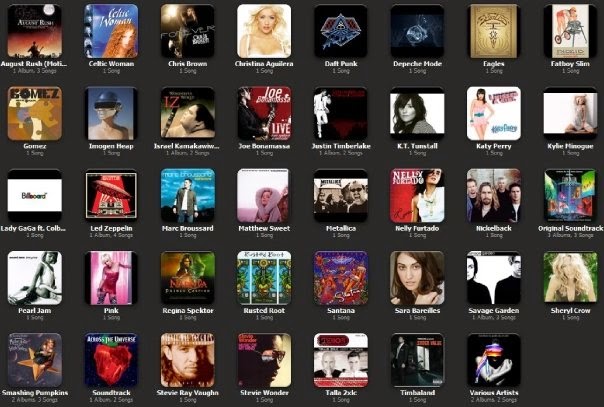
When i first got my ipod, i was disappointed a little. I had expected itunes to have some really cool syncing utility to get the best music on my ipod. Several things irked me about it though: if i tried to sync more music than would fit, nothing would get synced onto the ipod. At that point, i had to start building smart playlists that would get only 8GB of my music (actually a little less to account for games, photos, videos, etc.). I was also disappointed to find out that itunes didn't know which music i liked. I guess i've been spoiled by yahoo! music which learns the music i like based on my ratings and on how often i played or skipped the song. Out of the box, itunes did nothing to put my favorite music on my ipod. It was all manual! Being the perfectionist i am, i set out to make a set of auto playlists that would mine through my library and find my favorite music. I listen to my music on my ipod as well as on my laptop at work, so luckily those play counts sync. So, here are the playlists that i've created to do what i thought itunes would do for me. They're not perfect lists, but they get the job done.
First, i had to decide on a couple rules: If a song was rated with 4 or 5 stars, it is probably one of my favorites and should be on my ipod. If a song was unrated, that doesn't mean that i don't like the song, rather it means that i haven't gotten around to rating it. So, i needed a way to easily identify songs that i don't like (i've collected a lot of music over the years that i don't like and would like to weed out of my library). I decided that any song that has only 1 star should be considered a song that i don't like and a candidate for removal from my library. I also have to consider the fact that i have christmas music mixed into my library that i probably don't want this whole mechanism to apply to. Most of these playlists will filter out any music in the Christmas genre. I also consider global filters to exclude podcasts, movies, audio books, etc., but i haven't necessarily implemented them on all these playlists.
Playlist #1: Whitelist - this list contains any song that has been rated with 4 or 5 stars. I don't put any size limits on this playlist, this one contains my absolute favorites.
Playlist #2: Liked Songs - this list should contain any songs that i like based on play count. So, i look for any songs that aren't in the Whitelist and have a playcount of more than 10. This number is adjustable, i started with a value of 3 so that this list would have something in it. As my playcounts get higher and higher, i raise this number, but only once or twice a year. No size limits on this playlist either.
Playlist #3: New Items - this list should contain brand new items so i make sure to give them a chance at getting in my Whitelist or Liked Songs list. I look for any songs that have been added in the last month. I don't filter out items that make it into the Whitelist or Liked Songs list. The reason for this is that i often want to find some song that i recently acquired. This list contains those items whether or not it's been promoted to one of the other lists. Itunes isn't going to copy the song twice onto my ipod, so it doesn't take up any more space on the ipod. This list doesn't have any size limits either.
Playlist #4: Never been played - I needed to add this list later on because i discovered that songs that had never been played didn't get into the mix enough. I ended up having the same songs over and over. This list ensures that unexperienced music gets presented. If i like it, it will end up in the whitelist or liked songs list. If i don't, it'll end up in the blacklist (read on). No size limits on this list either.
Playlist #5: Other - This list is the catch all for all songs that don't appear anywhere else. It looks for any songs that aren't in playlists 1-4 and aren't blacklisted. This one does have a size limit. These first 5 playlists will comprise what ends up on the ipod. So i set the size limit to whatever will fit. If itunes freaks out and says it can't sync because i'm trying to put too much on my ipod, i simply reduce the size of this list.
Playlist #6: iPod List - This list simply contains all the songs that appear in any of the first five playlists. There's no need to limit the size of this playlist, but if you want, you can apply a limit that is the same as the capacity of your ipod. I don't like to do this because this is the list that i listen to when i'm listening to music on my computer.
Playlist #7: Blacklist-Auto - This is half of the blacklist. This is an attempt to identify music that i probably don't like based on skip count. It looks for any songs that have been skipped more than once, have a rating of less than 2, AND a playcount of less than 3. I had to tweak these numbers to meet my own tastes, but they work pretty well for me. The thing is, itunes doesn't increment the play count for a song until the end of the song. So if you only listen to half a song, the play count doesn't go up. Also, itunes doesn't increment the skip count until 4 or 5 seconds after the song starts playing. So if you quickly skip through a bunch of songs, none of their skip counts actually get incremented. It's actually fairly difficult for songs to get into this list because of this behavior.
Playlist #8: Blacklist - this is the other half of the blacklisting system. This playlist includes any songs that are in the auto blacklist OR have a rating of only 1 star. The idea behind this playlist is that i can look at this list and see items that i either want to save or delete. They are on the proverbial chopping block. If i want to save it, i need to give it a rating of 3 or above. If i want to delete it, just highlight it and press Delete while holding down the shift key. I only have to check this list every or every other month.
Sync all these playlists to your ipod (you have to put the blacklists on there too because the other lists depend on them). I numbered the first 5 playlists so they would show up in order of preference on my ipod. You could put a 0 at the beginning of the ipod list so that it shows up at the very top.
Anyway, i'm open to suggestions. The cool thing is that this method can be applied to an itunes library even after you've been using it for years. In fact, i'd be interested to see how well it identifies music preferences when applied to an older library.
You should be able to apply this method to a windows media library since it keeps play counts and skip counts and has a rating system. You'd just have to make sure that your portable media device synchronizes the ratings, play counts, and skip counts to your library.
 |
| Liked Songs |
 |
| New Music |
 |
| Whitelist |
Thursday, October 30, 2008
Wireless Encryption Methods
What's the difference between the various wireless security methods, and which one should i choose?
There are three possible answers to this question: None, WEP, and WPA. Which one do you choose? It depends.
None - you don't have to use encryption. If you don't have any encryption on your wireless network, people who want to connect don't have to provide a password or key to connect. This can be acceptible, if you don't mind people next door or driving by to gain access to your network and use your internet bandwidth. However, this method can be secured farily easily.
Think of your wireless network as a night club and your router as a bouncer. By not enforcing any encryption, your bouncer speaks english and will listen to anyone's petition to get in. You can tell your bouncer to only let certain people in. The bouncer then checks everyone's drivers license and only let's the permitted people in.
This is like having no encryption but restricting access to certain MAC addresses. Look on wikipedia to find out what a MAC address is. Think of it as a unique unforgeable identification number. (Well, it could be forged, but people who could do that will break in no matter what.) The data between the router and the user is not encrypted, which means that anyone listening can understand the data going between the user and the router. This could be a problem if you're logging onto your bank's website. Not a problem, though. Ever notice how sometimes the web address starts with https:// instead of http://? That means that your data is actually scrambled before it leaves your computer and unscrambled after it's received by the server. This is actually more secure than the encryption you could put on your wireless network. Of course, if you put security on your wireless network, you'll scramble the data again when it gets transmitted into the air.
WEP - WEP is simple encryption. Remember the bouncer? Well, this bouncer will let anyone in as long as they have one of the passwords. The passwords are HEX numbers. In other words, the password consists of only numbers and the letters A-G. The advantage of WEP is that it's very simple. The passwords are restricted to characters that the router can understand very easily, so he's not going to spend any time at all trying to figure out if the passwords match. Also, when data is sent between the router and the user's computer, the data is scrambled, so that only those who have the password can understand it.
WPA - WPA is more difficult to hack than WEP. The reason for this is the complexity of the passwords. It's much like WEP just that the passwords can be much more elaborate. Again the data between the router and user is encrypted. Since things are a little more complex, the bouncer may take a little longer to verify the password, normally not noticeable.
My recommendation? Unless you have problems with it, use WPA. It has the strongest security while allowing you to use plain old passwords.
If you can't use WPA because it's giving you problems, use WEP. If not that, then go without security but remember to filter by MAC.
Wednesday, October 22, 2008
Cable vs. DSL
Recent events have prompted me to officially publicize my opinion about the different advantages of Cable and DSL "high-speed" internet access.
Both DSL and Cable will require a modem. The modem is a separate small piece of hardware that translates between you and the internet. Each requires its own special modem, they can't be interchanged. Usually your internet provider will try to sell you a modem when you sign up for the service. I've seen the best deals with DSL. DSL modems tend to come with a rebate for the whole price of the modem, so it ends up yours for free. Most cable providers will lease you a modem for a small fee every month, usually $5. This is fine as long as you don't plan to have it for more than a few months. Eventually, you'll have paid enough every month for it to have been cheaper to just buy one from Best Buy or Fry's.
The modem will have two main ports on it: one to connect to the cable or phone line. The other is an ethernet port that you will connect to something on your end. If you have only one computer, the other end will be your computer. If you will be using a wireless router, then the other end will be the Internet or WAN port on the router. The router splits the signal so that multiple computers can access the same modem.
So the main difference between DSL and cable is speed. Cable is normally faster than DSL. However, DSL has a guaranteed speed. Cable access speeds can vary depending on how many people in the neighborhood are using it at one time. Sometimes cable is faster than DSL, sometimes it is slower. If you're willing to put up with the variations, go with Cable because you'll get an average higher speed.
My vote has been with DSL because i like the guaranteed speed. Which one is better will depend on your needs.
Tuesday, October 14, 2008
Chain Mail
So, occasionally I receive chain mail from people who have my email address. Unfortunately, they don't know how much it irritates me that they've attached my name to one of these things that will get circulated around the internet.
Don't know what I mean? Ever gotten one of those emails that claims something tremendous will happen if you forward it to 10 people in the next five minutes? Or one of my favorites is the one that claims that Microsoft or aol will give you 5 cents for every person you forward the money making email to? Those. Bane of society, I tell you.
"So, how does it all work? And why is it so bad? The forward button was the best thing invented since blogs!" (I know, history proves that the reply button came first, but that's beside the point)
-Unfortunately, no it isn't. Blue LEDs were, but I’m straying from the point. Chain letters work by purporting something outrageous then promising untold benefits to the actuator. Sound familiar? Yep, that's it: infomercials. How often do those things actually work? Have you ever seen something completely useful on an infomercial? I mean, imagine if you saw an infomercial for a microwave? You'd probably think to yourself, "I need to by a new microwave to replace the perfectly good one I already have. In fact, I need THAT microwave, because it has even more features that I’ll never learn how to use!"
NO! Wrong. You won't think that because since the microwave is completely useful and is a really good thing, you would have been exposed to it in other places, like Wal-mart. I mean, if I really wanted a good microwave, I might go to GE's website and see what they have, but I can probably find the same thing at walmart.com.
Have you ever actually bought anything on an infomercial? If so, I pity you. Although, I pity myself. I've done it, so I’m a little hypocritical.
So that's how they work. It should be pretty easy to recognize that most of the information in them is bogus. There are even websites that specialize in differentiating the true urban legends from the utterly false ones (snopes.com). Some chain emails even refer to the snopes.com article describing how the email is a hoax. <"Bold" he says as he slowly shakes his lowered head>
Why are they bad? How many times have you had to scroll through 45 pages of email addresses to get to the actual message of the chain letter? Those 45 pages are the reason they are so bad. They contain the email addresses (and full names often) of the people the email was sent to. The emails are there even if the person saw the chain letter and immediately discarded it (stirring up the wrath of fate, luck, and other mystical forces bound to the promises in the letter). Since the email has the potential to circle the globe several times, it also has the potential to end up in the hands of unknown malicious persons. Those people (who aren't bound even when there is a law prohibiting it) will sell all 45 pages of email addresses to any number of people who will sell it to others, who will eventually give it to those people who will send YOU emails on how to increase your manhood, or lose weight, or find a morally challenged partner tonight.
Do you like getting those emails? I don't. Even though I have a spam filter, I still get those emails sometimes. And I attribute it to the innumerable chain letters that are circulating through the internet with my email address on it.
I mean, seriously, you wouldn't put your name, home address, and phone number on a billboard in Times Square, would you? Yet, others have no qualms about doing it for you.
I can’t gripe without a possible solution. There is a better way. Actually, there are several better ways. Blog about it. If you’re that concerned that you will lose your hair because an email says so, multiply the methods of distribution by putting it up on a web page. That web page will be searchable by Google and Yahoo! Another option, if you can’t ignore the urge to follow whatever instructions show up in your inbox, is BCC or blind carbon copy. You might be familiar with CC or carbon copy. It allows you to send an email to your friend Julie, while also sending it to Jamie for her information. BCC works the same way and allows you to send a copy to someone without revealing that fact to the original addressee. This means that you can send an email to your friend Julie and also send a secret copy to Jamie. Easy right? Also, if you’re going to forward an email in any form, please delete the 45 pages of email addresses. If you can’t do all of them, at least delete my email address from it!
Of course, the other option is to get a real life and communicate with people instead of spouting back out the same garbage that gets spouted to you. Do research to find out if the email is true.
I know I’m harsh, but I’ve been thinking about it for years and needed to get it off my chest.
Wednesday, October 1, 2008
Trying to keep up a habit
This past weekend, we painted our living room. Christy bit the bullet on her color decisions last week and invited Dad & Betty to come down for the weekend to help. That was a fiasco since Betty fell and kinda broke her thumb in the Houston airport. They landed Friday afternoon and went to the hospital directly. When i got home, Christy and Dad had already started on the walls by moving things. Christy started cutting away and Dad started rolling. When i got there, i took over for dad and we worked the rest of the evening. We painted while dad & betty watched the debate. Don't even get me started on the debate. As soon as it was over, i took the tv off the wall and we painted around it. We finished everything but a section of wall that still needed another coat, behind the tv. The next morning dad & i went to get the cars cleaned and christy and betty went shopping. Christy and I went to a baptism that afternoon, which was very good. That night we all went to Texas roadhouse to enjoy us some cinnamon butter. Dad told the waitress that it was christy's 21st birthday and they brought over a saddle for her to sit on while they sang happy birthday to her. It was hilarious. Christy vowed vengeance. Dad and betty left early sunday morning. I dont' remember much of saturday afternoon because i slept for 5 hours! It was like i was catching up on months of missed sleep. It was great. I'll have to get christy to email me some pictures of the living room so i can post them here.
Heroes was interest monday night, i'm not sure if they're heading down the same road as Lost. I hope not.


Heroes was interest monday night, i'm not sure if they're heading down the same road as Lost. I hope not.
Monday, September 22, 2008
Lake Jackson Cleanup Weekend
So, the weekend started with a rush to get everything packed. Parrish, William, and myself got all our stuff in my car and we set off for Stephen F. Austin state park. We arrived shortly after the park closed and locked the gate. Luckily, one of the other campers drove up behind us and notified us of the combination to the lock on the gate. We got in, pitched my tent (thanks andy) and went straight to bed. I woke up at 5 and started breakfast. I guess i was noisy because another camper yelled at me from inside his own tent across the street. Parrish and William got up around 5:30 and we finished making breakfast and striking camp. We had sausage and pancakes without syrup. We left a little later than i would have wanted, so we were a little late getting to the rondezvous point.
We met up with 4 of the other guys from our ward and formed a squad. We had 2 chainsaws and my chain pruner. We went to our first site only to find out that the other two chainsaws didn't work. So, i used mine for the little jobs that were still undone. At the next house, there were two branches that were broken but had not come loose from the tree. I climbed up the tree using my spurs and climbing gear and cut the branches out while the rest of the group lowered the branches without letting them hit the power lines.
The next house was in a poorer part of town. There was a lot to do. We got two saws up and running (mine and a 16" one). We did the most work at this site. All of it was trees though, no house gutting like Katrina. We went to our third assignment only to be refused because the work had already been done. We went back to headquarters and got another assignment: a park. There was a park that we had passed several times going to our distinct locations and several crews were already working on it. We added our saws to the mix and took down a couple large trees.
We finished the day and headed back to Austin. All in all, it was a really good day of work. Wish we could have stayed another day and continued the work. I guess if they were giving us parks to work on, they must not have had much to do. Maybe next time we'll go closer to galveston. We made it home by 10:30.
Wednesday, September 17, 2008
One Month and Counting
I realized today that i only have one month until christy's birthday. I have a couple of ideas for what she wants. We'll have to see.
I'm in NYC for a few days. Actually going home today. I'm ready to be home. I haven't slept well while here. Must be something about the time zone. I took sleeping pills both days, but i must not have given it time to wear off because i've been groggy both mornings. I want to get home to the nice weather there.
The next project we did on the house was our master shower. It was a glass and aluminium shower, but the grout/caulking had mildew underneath it. Wouldn't normally be a problem except that the caulk was clear so we could see it but not clean it. So we decided to take off the caulk, clean it, and replace the grout. Well, the more we took off, the more we found that we had to take off in order to clean properly. We eventually removed the entire thing. I lost confidence that i'd be able to put it back together. So, we put it out in the garage and i went curtian rod hunting. it wasn't that easy since i had to get a curtain rod that wasn't straight but had a 90 degree bend in it. I eventually found one at Home Depot, brought it home and installed it. So we now have a curtain up instead of the glass. I don't know which i would have preferred. There's a little water escaping and getting on the sheetrock wall. We might have to put a piece of glass on the entrance step to raise it up a bit. That way, it's harder for the water to get up and over the glass to get on the wall.
I need to take more pictures and post them. I post pictures and videos and links on my facebook blog. Also, this blog is automatically imported into my facebook. So, for the latest and greatest, go to facebook. Maybe one day, this blog will finally fail and i'll go only with facebook.
Tuesday, September 9, 2008
Garage Door Opener
Now that i have my own house, i'm automating it to the extreme. I've always wanted a garage door opener so i didn't have to go in and out of the front door. Parking the car in the garage is also a plus. My garage had been so full of stuff since we moved in that i couldn't really get the car in anyway, but the task weighed on my mind. The first thing i had to do was tighten the spring. This is harder than it seems and much more dangerous than you might think. The problem is that you have to tighten the spring with the door in the down position, which puts the spring in a stressed state. If you ever have to do this, let me know; i bought some steel rods that will help. Plus, it requires two people and probably two ladders to keep the cables from getting tangled up. Anyway, after i tightened the spring, the door would pretty much open itself, but it required effort to close it. That meant that i had tightened it too much and had to reverse the process a little. Not hard, just unweildy.
Gotta go, but i'll post a picture and the rest of the story later.
Gotta go, but i'll post a picture and the rest of the story later.
Wednesday, September 3, 2008
Tuesday, September 2, 2008
Temporary Pergola
Our new house didn't have any shade in the backyard, which was especially hot during the sunny months of the summer. We decided to build a pergola. A pergola is one of those pavillion type things that doesn't have an exactly solid roof. You can build it fairly simply and put vines and stuff on it.
So, we were going to build it during the summer. I say "we" really meaning "I". Due to the hot weather and the abundance of other projects that needed doing, we decided to opt for a temporary solution then build a wood pergola in the fall when the weather cooled off. So, this is a picture of the temporary solution. I'm not sure where we're going to get the money to build the pergola, but at least i can probably count on Caul's help.
So, we were going to build it during the summer. I say "we" really meaning "I". Due to the hot weather and the abundance of other projects that needed doing, we decided to opt for a temporary solution then build a wood pergola in the fall when the weather cooled off. So, this is a picture of the temporary solution. I'm not sure where we're going to get the money to build the pergola, but at least i can probably count on Caul's help.
Subscribe to:
Posts (Atom)